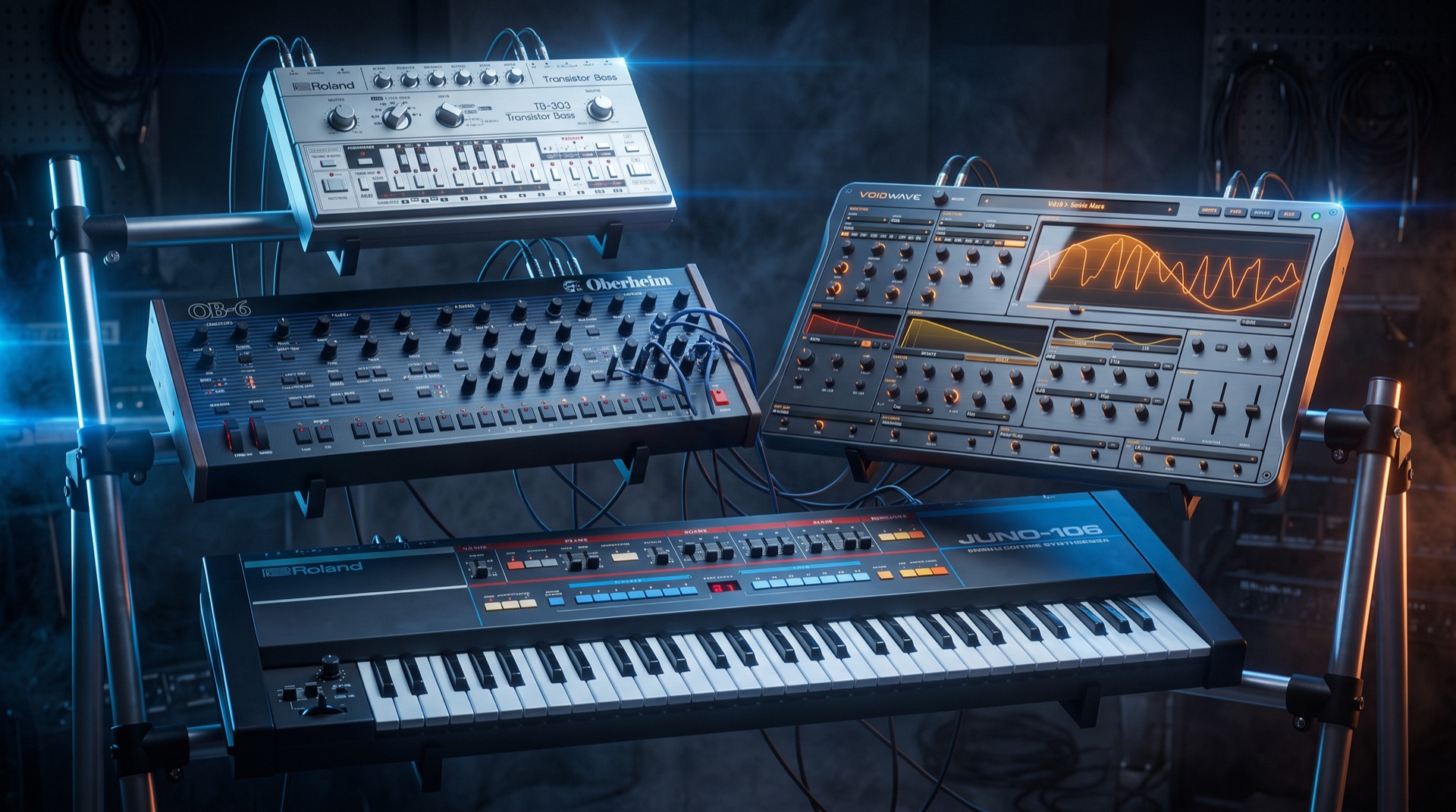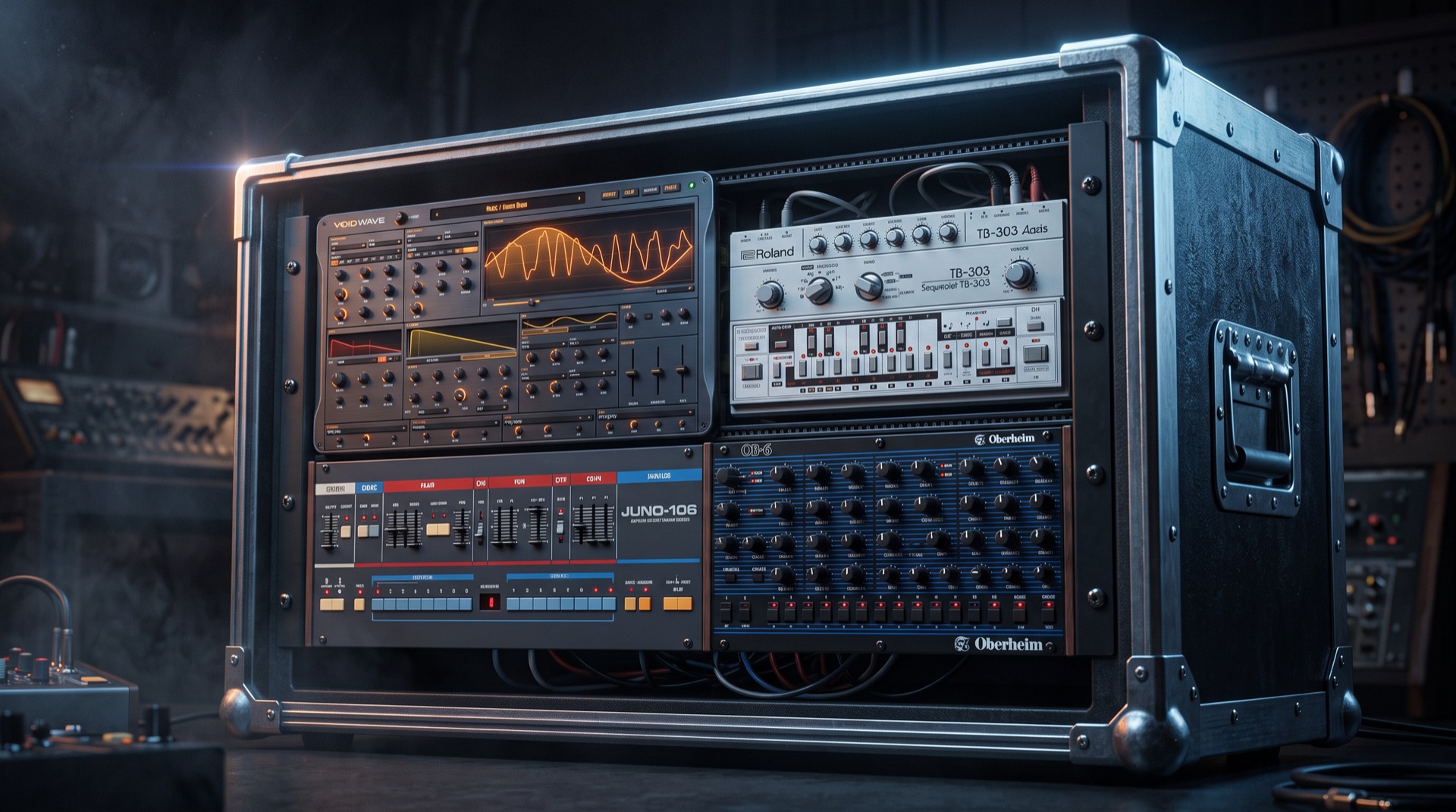
Four synthesizers bursting out of a tiny M-VAVE FM-1
Firmware / M-VAVE FM-1

Switch Blade

Every synth machine you need, in a tiny box. Switch Blade is the versatile FM-1 firmware: a powerful polysynth, a wavetable monster, a subtractive synth with an acid 303 inside and a lush chorus poly, all running at once in your pocket.

Year2026
TypeReplacement firmware
HardwareM-VAVE FM-1
InstallFrom Chrome, 2 minutes
PriceFree

Turn your FM-1 into Switch Blade

Plug in the USB cable, open Chrome and press the button. No drivers, no apps, no account. It takes about two minutes, and one click puts the official firmware back.

Flash Switch Blade from Chrome Chrome or Edge on Mac, Windows or Linux · USB data cable · free
Overview

Every synth you need, in a tiny box.

The FM-1 is a brilliant little groovebox. Switch Blade is the versatile firmware that rips out the stock engine and drops in four powerful synthesizers, one on each track, all playing together. Each machine has its own sound and its own screen design.

Sequence an acid line on one track, stack lush chorused strings on another, hit a fat polysynth lead on the third and a growling wavetable bass on the fourth. Then push the drive until the room shakes.

4
Synth machines
128
Factory presets
4
Sequencer tracks
8
Insert effects
Play it now

Try Switch Blade before you flash it.

This is the real firmware, compiled for your browser: the same code that runs on the FM-1. Power it on, load the demo song and press PLAY, or play the keys with your computer keyboard or a MIDI controller.

The machines

Pick a track. Pick a machine.

Every track can run any of the four machines, and each one comes with 32 presets ready to play.

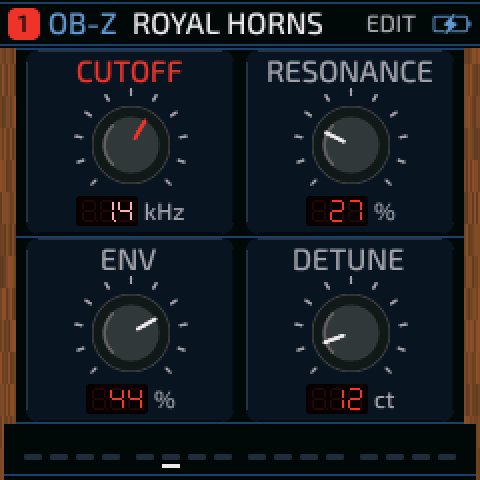
OB-Z edit screen: four black knobs between wood cheeks, LED readouts
OB-Z

The big brass polysynth

Wide, warm and powerful.

A powerful polysynth for brass, strings and leads. A morphing state-variable filter sweeps from low-pass through notch to high-pass, a 4-pole mode goes thick and creamy, and analogue slop keeps every voice drifting a little out of line.

Morphing multimode filter4-pole modeAnalogue slopBrass, leads, strings
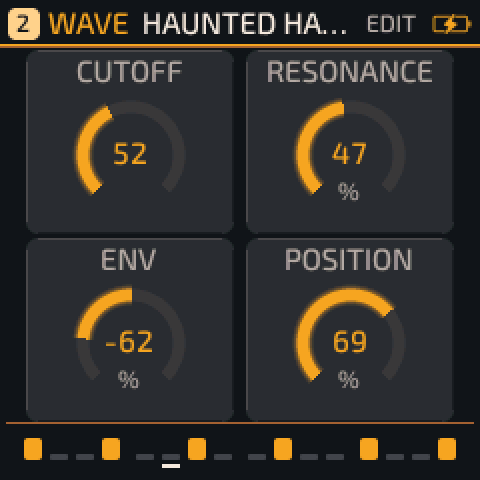
WAVE edit screen: glowing amber rings around four values
WAVE

The wavetable monster

Straight from the Void Wave plugin.

The voice of my free Void Wave plugin, squeezed into the FM-1. Scan through wavetables, bend the waveform with WARP, sweep the VOWEL filter until the bass starts talking, and stack six-voice unison for walls of sound.

Wavetable scanningWARP phase bendTalking VOWEL filter6-voice unison7 filter types
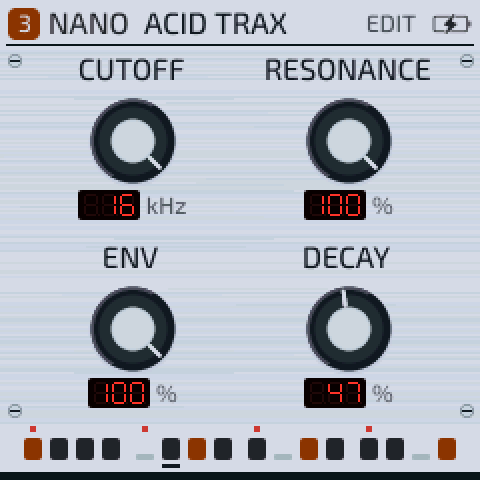
NANO edit screen: brushed silver panel with skirted knobs and LED readouts
NANO

The subtractive synth

A 303 inside, and a periodic table besides.

NANO is a powerful subtractive synth: two anti-aliased oscillators with a sub and noise, a resonant filter (low-pass, band-pass or high-pass), its own envelopes and LFO, and four voices. It also emulates a 303: its first two presets are an acid bassline voice with accent and slide on every step. The other 30 are chemically inspired voices, from Rubidium and Bromine basses to Xenon pads and Tungsten leads.

Subtractive synth303 acid voiceLP / BP / HP filter4-voice polyAccent & slide30 elemental presets
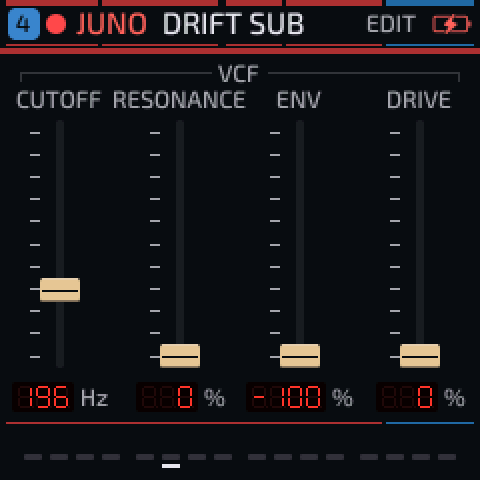
JUNO edit screen: four vertical faders with tan caps
JUNO

The chorus poly

That shimmer, on tap.

A lush, powerful poly: a sharp DCO with pulse-width modulation, a smooth ladder filter, a four-position high-pass and a deep stereo chorus in modes I, II and I+II. On the screen you get real faders, not knobs.

DCO with PWMLadder filterChorus I / II / I+II3-voice polyFader UI
The screen

Your rack, on a tiny screen.

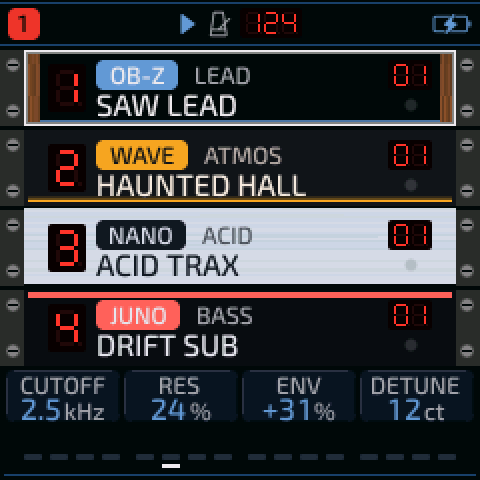
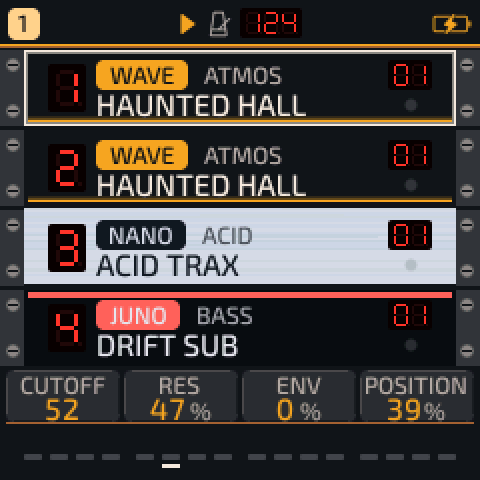
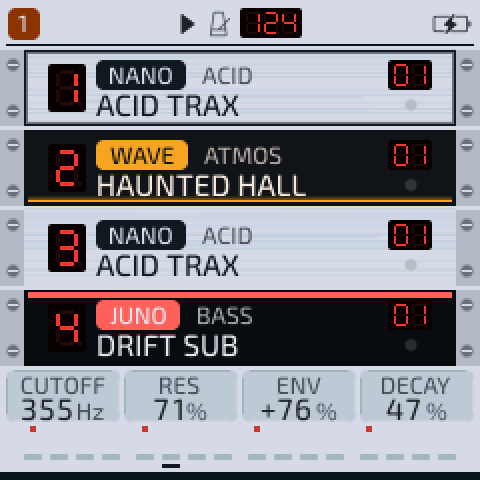
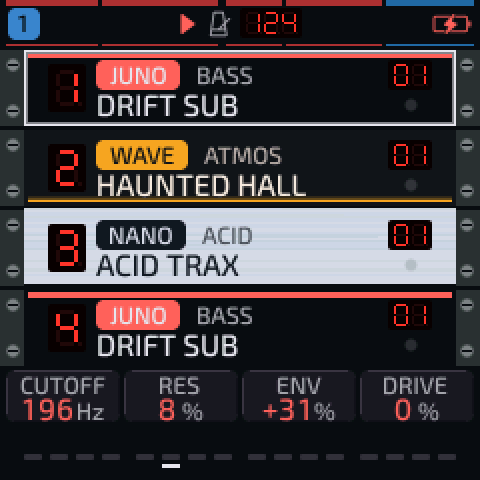
The home screen is a rack of four synths, complete with rack ears and screws. Each unit shows its machine, preset and a red LED track number, and lights up when it plays. Open a machine and it gets a panel of its own: wood cheeks, brushed silver, faders or glowing wavetable rings.

Values show on red seven-segment LEDs, and the colours change with each machine.

Home rack on an OB-Z track
Home · OB-Z
Home rack on a WAVE track
Home · WAVE
Home rack on a NANO track
Home · NANO
Home rack on a JUNO track
Home · JUNO
Everything else

Built to perform.

Four synths are only the start. Switch Blade adds a full set of effects and sequencing tools.

Drive

One knob per track takes it from gentle warmth to full overdrive. The tone darkens as you push it, and it is light enough to run on every track at once.

Insert effects

One per track: soft and hard clip, wavefolder, fuzz, bitcrusher, phaser, flanger and chorus, with dry/wet.

Send effects

Shared chorus, tempo-synced delay and reverb (room, spring or hall), with a master limiter so it never clips.

Slicer

Rhythmic gate and stutter per track, locked to the tempo from 1/8 down to 1/32 triplets.

Arp, chords & scales

An arpeggiator with up, down, random and repeat modes; one-finger chords with voicings; and scale lock so every note fits.

Modulation

LFOs, envelopes, velocity, mod wheel, aftertouch and more, routed to pitch, filter, drive, pan and the effects. Record knob moves as motion.

Voice modes

Poly, mono, legato and unison on any track, with glide, from one shared pool of eight voices.

MIDI that plays nice

USB MIDI in and out, clock in over USB or TRS, clock out, and per-track channel routing to drive your other gear.

Safe to try

The installer checks the firmware before it writes anything, and you can go back to the official firmware whenever you like.

Install

Two minutes. One button.

Switch Blade installs straight from your browser over USB. Nothing to download and nothing to unzip.

Connect

Plug the FM-1 into your computer with a USB data cable and switch it on.

Open Chrome

Use desktop Chrome or Edge and go to the flasher page.

Allow MIDI

Press Install and allow MIDI access when Chrome asks. That is how the browser talks to the FM-1.

Play

The FM-1 restarts into Switch Blade. Pick a track, pick a machine, make noise.

Can I go back to the official firmware?

Yes. The flasher page has a "return to official" option: download the official FM-1 firmware from M-VAVE, choose the file, and the FM-1 goes back to stock.

Why Chrome?

The installer talks to the FM-1 over Web MIDI with system-exclusive messages, which Chrome and Edge support on desktop. Safari and Firefox do not support this yet.

What if the install stops halfway?

Power-cycle the FM-1 and press Install again. If the device is still in update mode, the installer picks up where it left off.

Does it cost anything?

No. Switch Blade is free, and its source code is open (GPL-3.0).

Every synth you need is waiting in your FM-1.

Free, open source, and two minutes away.

Flash Switch Blade from Chrome
Support the project

Pay what you wish

Switch Blade is free, always. If it brings your FM-1 to life, a small contribution helps keep this and future tools free and independent.

No account needed  ·  Pay what you want
Credits